Integrations:
RTSP API Integration User Configuration
General Integration Description
This page describes the appropriate steps to configure the necessary Role, Access List, and User accounts in Envysion to enable a third-party video integration via the RTSP API, including our integration with CommandCentral Aware, a Motorola Solutions product.
Prerequisites: You must have administrative access to Envysion to create users, roles, and access lists.
Configuration
1. Create a user role for the Integration user. As an example, we’ll call this role “CCA Integration”.
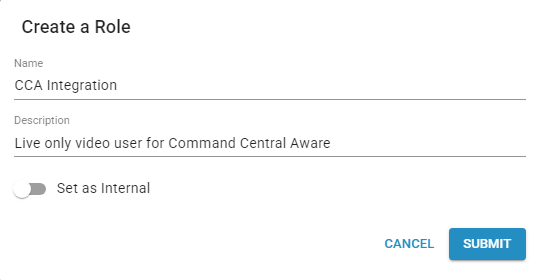
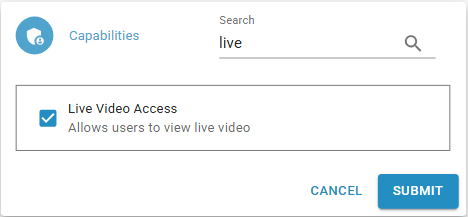
2. Add View live video capability to the CCA Integration user
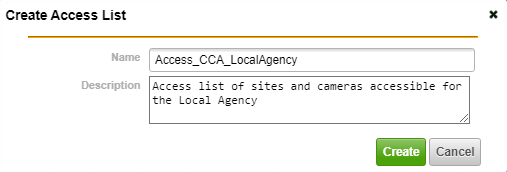
3. Create an access list for the CCA Integration user – if the agency only needs access to a subset of cameras or sites in a domain, then we need to create an access list named ” Access_CCA_<Agency Name>” with only the sites they have jurisdiction over.
4. Create the user. As an example, we’ll call this users ccaintegration. Note: use a name appropriate to your integration partner.
- Assign access list – Access All
- Assign role: CCA Integration
- Provide a valid email address for the user in order to set the user password

5. Set password for new user using the email link sent by Envysion.