
Physical Installation Procedures:
Setting Up Audio In the Application
IP (in camera) Audio
To set up the in camera audio, expand the settings for the camera and click on the audio tab.
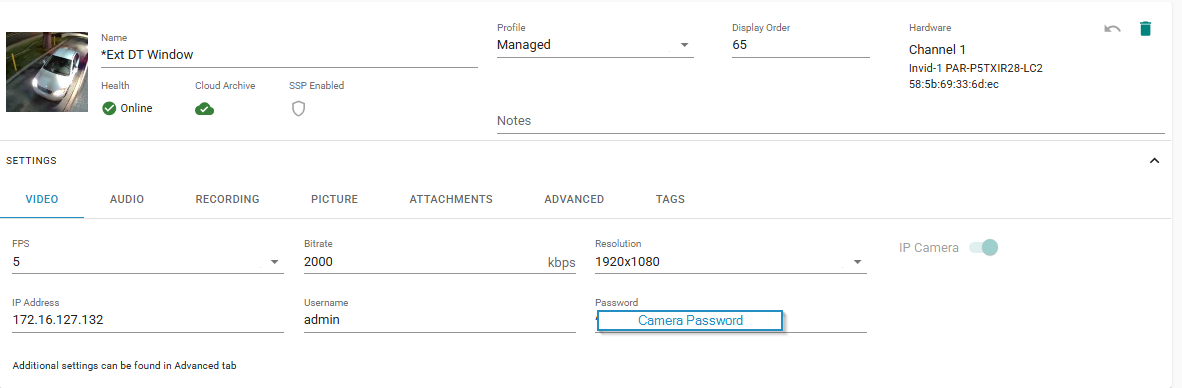
Click on the Record Audio button. It should bring up the camera name.

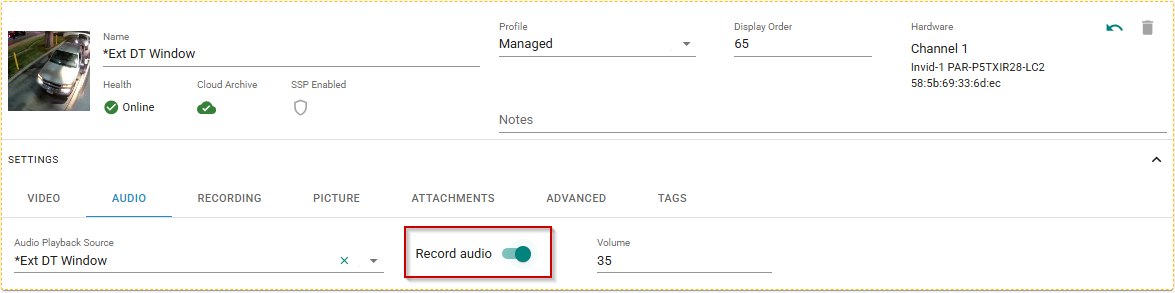
Hit save at the top of the screen
Analog Audio Set Up
To set up analog audio (a separate audio kit), navigate to DVR Analog Audio at top of the screen, and toggle sliders are to the right.
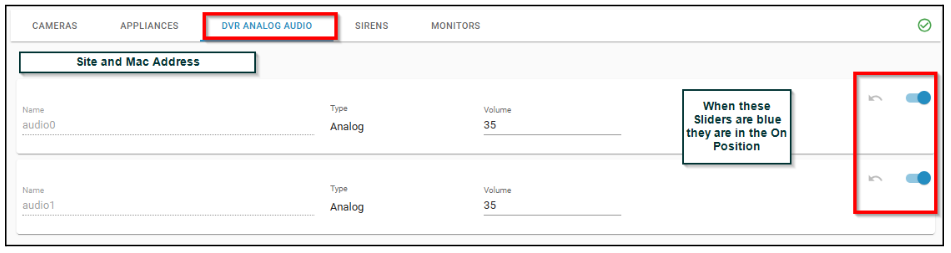
You cannot be using both in camera audio and analog audio channels at the same time, on the same camera. Make sure the camera channel audio is turned off when using Analog Audio.
Go into the camera(s) and select the respective audio channel to associate with the camera.
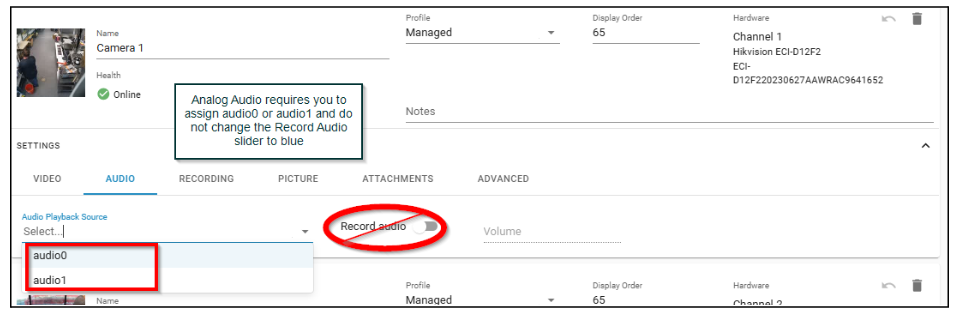
Hit save at the top of the screen
Was this post helpful?
Let us know if you liked the post. That’s the only way we can improve.