
Physical Installation Procedures:
Manually Adding Camera Steps
Video Walkthrough: Manually Provisioning a Camera not discovered by Device Manager
Video Walkthrough: Manually Provisioning Unmanaged Cameras
Cameras that are not found but have a known IP can be Manually added in Device Manager
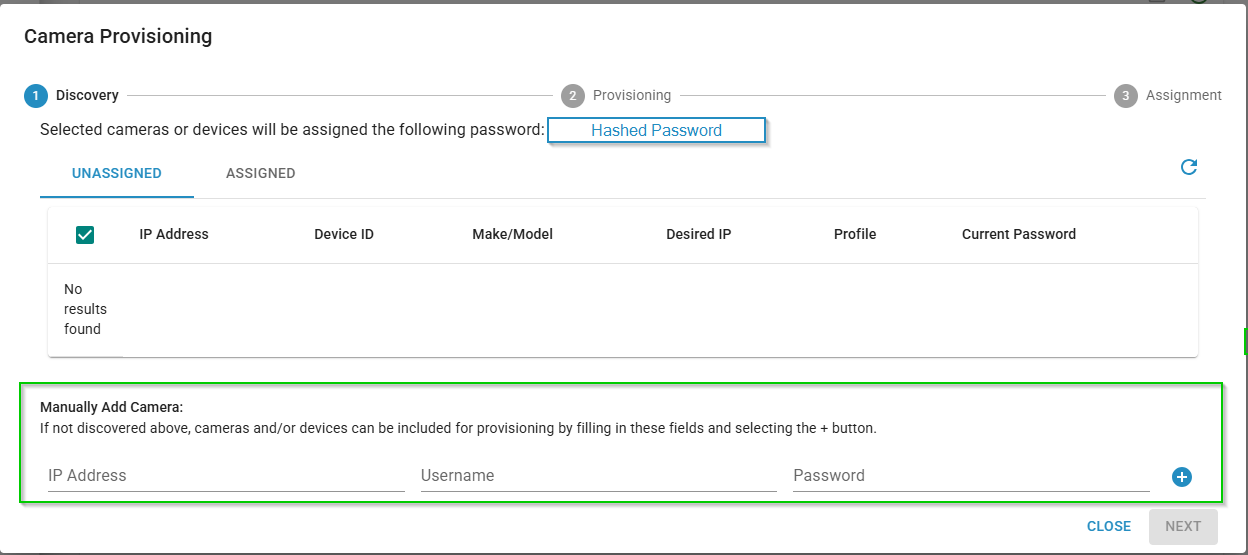

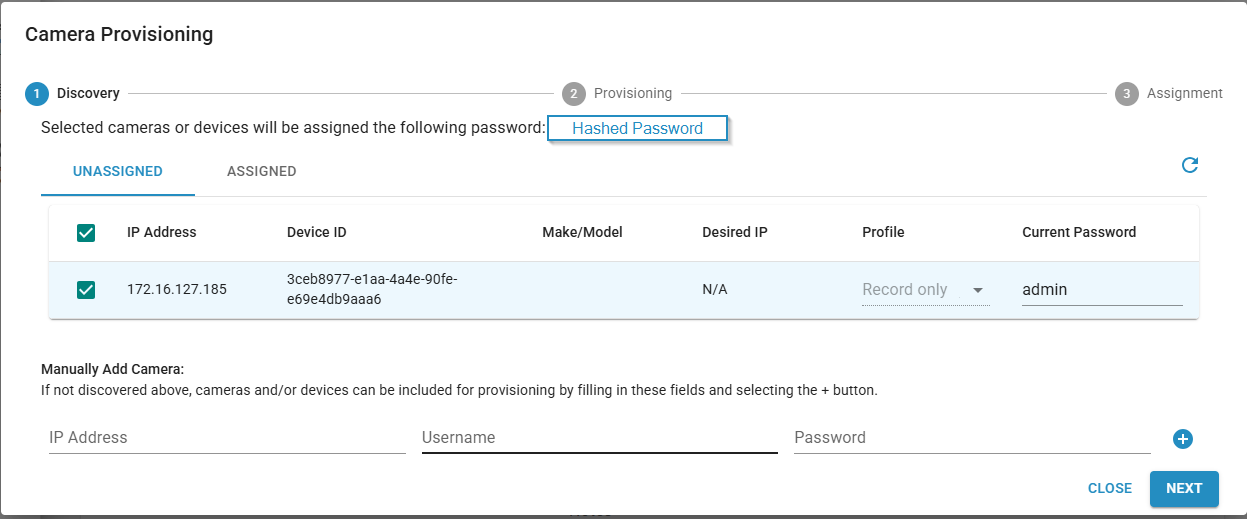 Hit Next
Some of the statuses may say “Unsupported Camera Make” If you see this add the RTSP URL (may have to ask Google for this) for the camera type and click the checkmark button to continue.
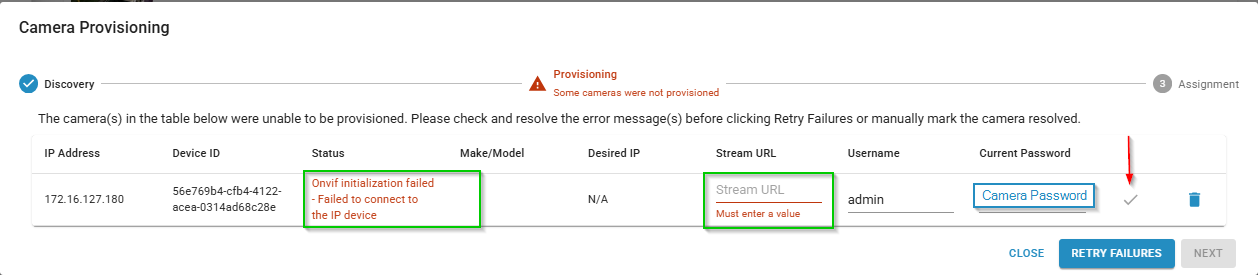

Hit Next , Replace the cameras in order with the replace camera dropdown. (green box)
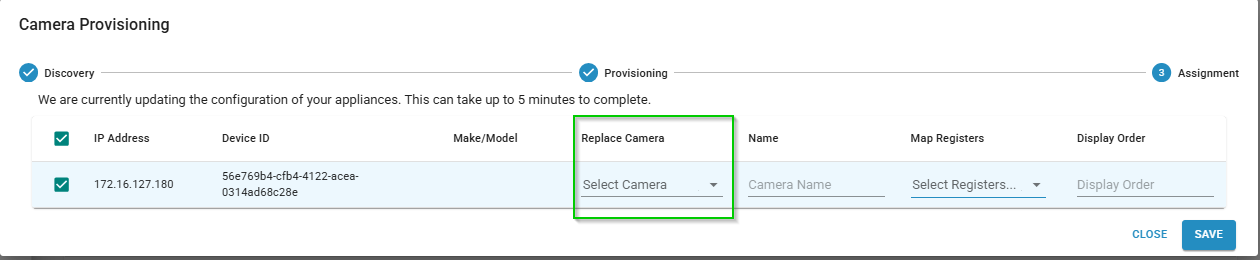
Hit Save.
Make sure to set any unused but created channels to Off.
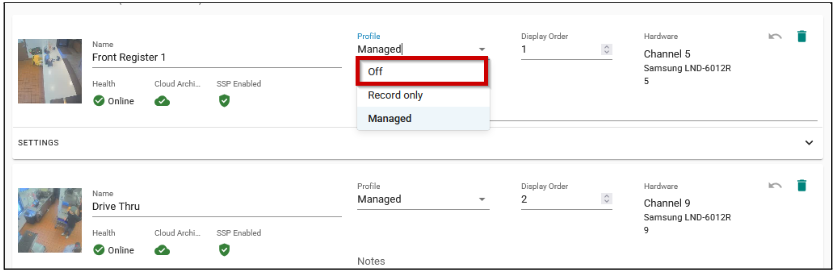
If you need to change a camera from off to Managed or record only it is the same steps in reverse. Hit save on the top right of the page.
Was this post helpful?
Let us know if you liked the post. That’s the only way we can improve.