
Physical Installation Procedures:
Cameras not streaming?
Check network settings on the Appliance page.
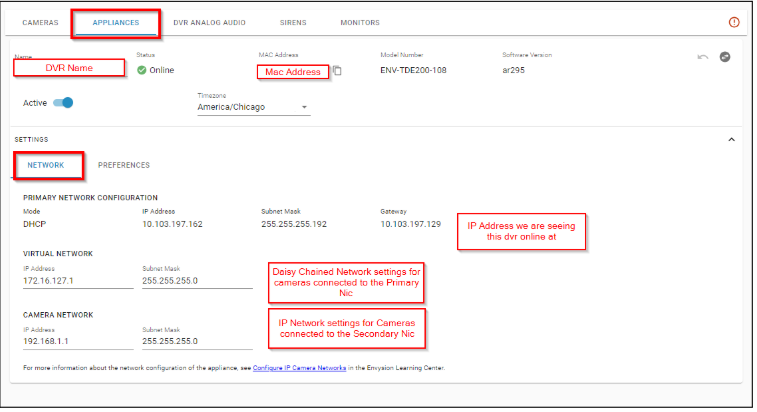
Common troubleshooting checks:
- Does the virtual network or Camera network match the ip addresses of the cameras? Are the cameras on the same ip address as the Primary Network?
- If not, update them to match and hit save in the top right corner.
- If there are multiple EnVRs on site the virtual nic and camera nic for each EnVR cannot be exactly the same as it will cause a conflict.
- If cameras are on the same address scheme as the Primary Network the cabling path Must be Daisy Chained.
Was this post helpful?
Let us know if you liked the post. That’s the only way we can improve.